 PadelLens
AI padel match analysis on your iPhone
Film your match from behind the back glass. PadelLens finds the court, the players and the ball, counts the score and shows every shot with its type and speed. Then it tells you where you lose points.
Download on the App StoreFree to try · iPhone with iOS 17+ · Apple Watch optional
Why players use it
Check every number
Each stat and each coach tip links to the exact moment in your video, so you can see it for yourself. Wrong player or shot? Fix it in one tap.
Ball speed on every shot
Bandeja, víbora, smash, chiquita, volley and more, each with its speed in km/h and a technique score.
Video and Apple Watch together
Keep score on your wrist while you play, saved as a workout. Points go live to your iPhone.
Inside the app
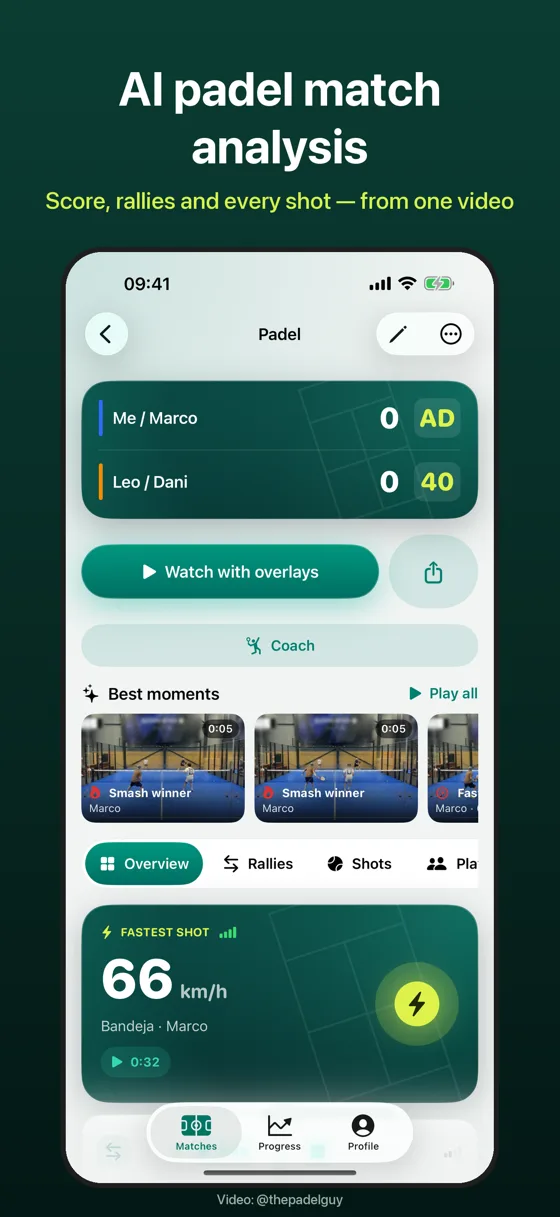
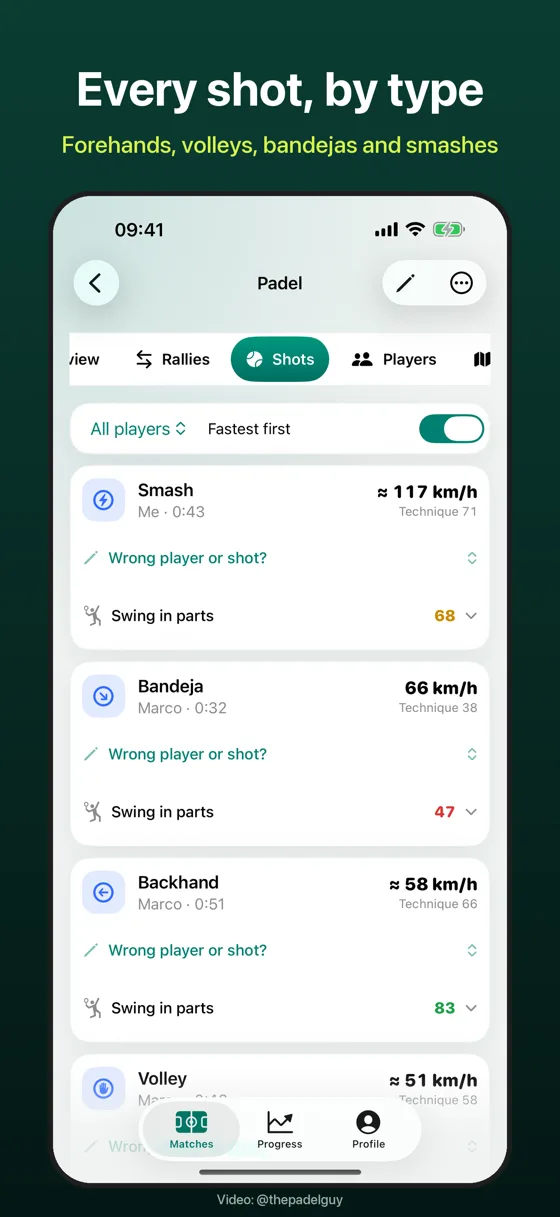
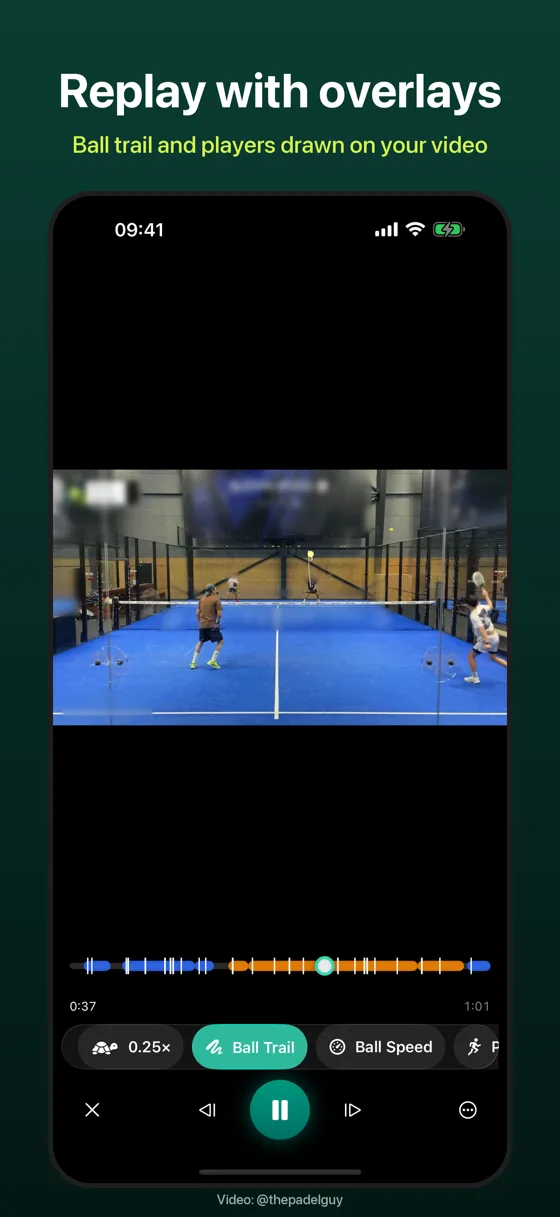
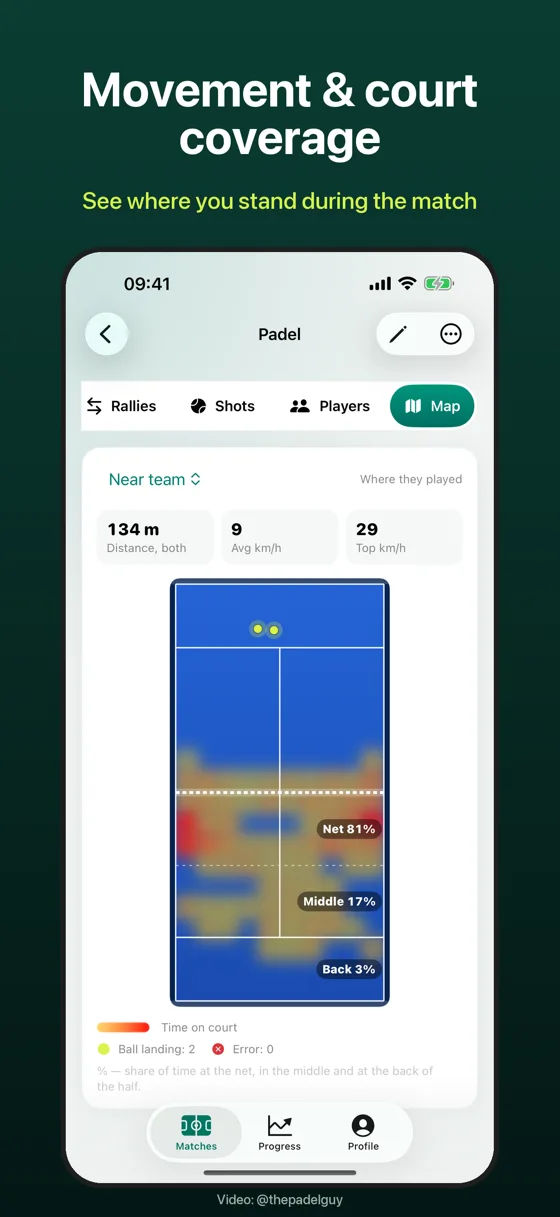
Screenshots show a real match. Video: @thepadelguy
How it works
Put the phone behind the glass
High and centred, all four corners in view. The app checks the frame before you start.
Play
Record a full match or import a video you already have. Analysis keeps running when you leave the app.
Get the breakdown
Score and rallies, every shot, movement and heatmaps, highlights with overlays and an AI coach with three things to fix.
Free and Pro
Free: your first full match of any length, then 3 videos a day up to 25 seconds each. Pro (monthly or yearly): full matches of any length, unlimited analyses, AI coach, technique scores and exports without watermark.
Download on the App StoreQuestions
Where do I put the phone?
Behind the back glass, as high and centred as you can, in landscape, so the whole court with all four corners is in the frame. A suction mount on the glass or a tripod works best; the app checks the view before recording.
Do I need club cameras or sensors?
No. One iPhone is enough. Apple Watch is optional and adds live scoring and a workout.
How is ball speed measured?
From the path of the ball across the court in the video. When the ball is far from the camera or the light is poor, the speed is marked as approximate (≈). Every shot opens the video, so you can check it.
Is my video uploaded anywhere?
No, by default the video is analyzed and stored only on your iPhone. The AI coach sends match statistics, never video, images or names, and only after you agree.
Which shots does it recognise?
Forehand, backhand, volley, bandeja, víbora, smash, lob, chiquita and serve. You can correct any shot in one tap.